

Choosing the right infrastructure for your website is a critical decision. Managed WordPress hosting provides a specialized environment where the hosting provider handles the technical complexities. This allows you to focus on content creation and business growth rather than server maintenance.
This guide explores the best managed WordPress hosting options available today. We look at performance metrics, security protocols, and the underlying technology that powers these platforms.
What Is Managed WordPress Hosting?
Managed hosting differs from standard shared hosting in several key ways. In a shared environment, you share resources with hundreds of other users. If one site experiences a traffic spike or gets hacked, your site may suffer. Managed hosting isolates your environment. The provider optimizes the server stack specifically for WordPress code.
The service includes automatic updates for the WordPress core, advanced caching mechanisms, and robust security measures. You pay for a premium service that ensures your site runs fast and stays online.
How Modern Hosting Architecture Works
The best hosting providers use modern infrastructure to ensure reliability. Traditional hosting often relies on a single server. Modern managed hosting uses containerization and orchestration technologies similar to Kubernetes. This approach treats your website as a collection of microservices that can scale independently.
For example, the database and the application might live in separate containers. This architecture prevents one component from crashing the entire system. It also allows the system to allocate more resources instantly when traffic spikes. This persistence and isolation strategy is vital for high traffic websites.
The Role of Containerization
Containerization ensures that your site behaves consistently across different environments. By packaging the operating system, libraries, and application code, hosts can guarantee that the staging environment mirrors production. This eliminates the "it works on my machine" problem that plagues many developers.
Key Features to Evaluate
When selecting a provider, you must look beyond the price tag. Evaluate the technical features that contribute to speed and stability.
Server-Level Caching
Standard plugins handle caching at the application level. Managed hosts implement caching at the server level using Nginx or LiteSpeed. This approach serves static HTML pages directly from RAM or fast SSDs without invoking PHP. This significantly reduces server response time (TTFB).
Automated Backups and Staging
Data loss is a real threat. The best providers offer hourly automated backups stored in offsite locations. They also provide one-click staging environments. A staging site allows you to test code updates or plugin changes before pushing them to the live site.
Proactive Security Patching
Security on a managed host is proactive rather than reactive. Providers implement Web Application Firewalls (WAF) to block malicious traffic before it reaches the server. They also patch the operating system and PHP versions automatically to protect against vulnerabilities.
Expert Support Availability
General support agents often lack specific WordPress knowledge. Managed hosts employ WordPress experts who can troubleshoot plugin conflicts, database errors, and PHP issues. This specialized support saves you hours of debugging.
6 Top Managed WordPress Hosting Providers
1. Kinsta

Kinsta utilizes the Google Cloud Platform to ensure low latency and high reliability. Their infrastructure uses LXD software containers to isolate every WordPress site. This isolation prevents resource spikes from neighboring sites affecting your performance.
Kinsta offers a custom dashboard for site management. You can easily view PHP worker usage, bandwidth consumption, and real-time visitor counts. Their support team is available 24/7 and consists of WordPress engineers.
Key Features:
- Hosted on Google Cloud Platform Premium Tier network.
- Free CDN and SSL certificates.
- Automatic daily backups and one-click restore points.
- Staging environments for every site.
2. WP Engine

WP Engine is a long-standing leader in the managed hosting space. They focus heavily on security and developer tools. Their proprietary EverCache technology ensures content loads quickly by stacking multiple layers of caching.
They provide access to the Genesis Framework and StudioPress themes for free. This is beneficial for users who want professional design without extra costs. WP Engine also has a robust global CDN to serve assets from locations closer to visitors.
Key Features:
- Proprietary caching and security rules.
- 36 data center locations worldwide.
- Automated SSL provisioning.
- One-click staging environments.
3. Rocon

Rocon offers modern, fastest WordPress hosting built on containerized infrastructure with orchestration capabilities similar to Kubernetes environments. This makes it an excellent choice for developers who require scalable infrastructure and continuous integration pipelines.
The platform emphasizes infrastructure as code. You can deploy WordPress instances instantly while maintaining strict control over the server environment. It bridges the gap between traditional managed hosting and custom cloud environments.
Key Features:
- Container-based isolation for maximum security.
- Auto scaling to handle traffic spikes.
- Automated deployment workflows.
- Advanced developer tools and SSH access.
- Free migration support for all plans
- Free SSL and CDN for all hosting plans
4. Cloudways

Cloudways operates as a managed cloud hosting platform. It gives you the choice of five top cloud providers including DigitalOcean, AWS, and Vultr. This flexibility allows you to choose the infrastructure that fits your budget and geographic needs.
They use a custom stack called ThunderStack. This stack combines Nginx, Apache, and Varnish cache to optimize server performance. The platform offers a pay-as-you-go pricing model, which is cost effective for agencies managing multiple clients.
Key Features:
- Choice of five cloud infrastructure providers.
- Advanced Varnish-based caching.
- 24/7 live chat support.
- Free SSL and team collaboration tools.
5. SiteGround

SiteGround is a popular choice for small to medium businesses. They have recently upgraded their infrastructure to utilize Google Cloud. This change has improved their uptime and server response times significantly.
They offer a custom dashboard designed for non-technical users. Their SuperCacher tool creates static copies of your dynamic content to speed up loading times. SiteGround is also known for its proactive security measures and excellent customer service.
Key Features:
- Hosted on Google Cloud infrastructure.
- Custom-built caching solutions.
- Free daily backups and on-demand backups.
- WordPress starter templates for beginners.
6. Liquid Web
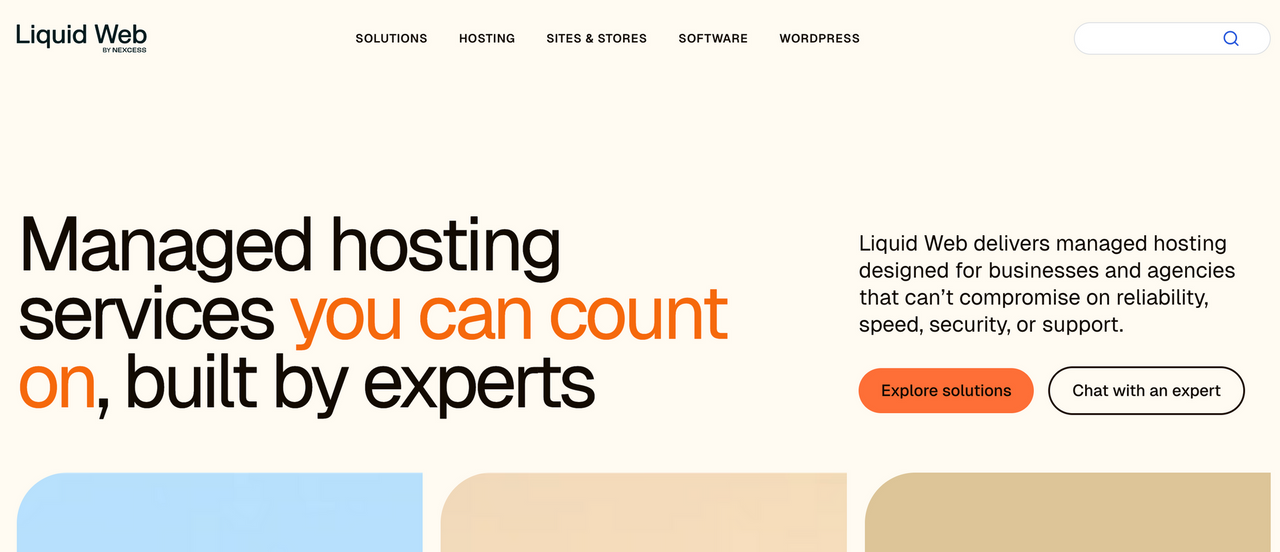
Liquid Web specializes in managed hosting for professionals and agencies. They own and operate their own data centers, which gives them complete control over hardware and network security. They offer a 100% uptime guarantee and back it with SLA credits.
Their platform is optimized for WooCommerce stores. They provide specific features like resource isolation and aggressive caching to ensure smooth checkout processes. Liquid Web also includes InterWorx or cPanel for advanced server management.
Key Features:
- 100% uptime guarantee.
- Ownership of data center hardware.
- Optimized specifically for WooCommerce.
- 24/7 phone, chat, and ticket support.
Technical Deep Dive: Why Infrastructure Matters
The underlying server stack determines the ceiling of your site performance. Cheap hosting often runs on old Apache configurations. The best managed hosts use Nginx or OpenLiteSpeed. These web servers handle concurrent connections much better than Apache.
Database Optimization
WordPress relies heavily on its database. Managed hosts often implement object caching using Redis or Memcached. This reduces the load on the database by storing query results in temporary memory.
Content Delivery Networks
Global latency kills conversion rates. Top tier hosts integrate with Cloudflare Enterprise or built-in CDNs. This ensures that static assets like images and CSS files load from a server physically close to the visitor.
Managed vs. Shared Hosting
Understanding the distinction helps in making the right choice.
Shared Hosting:
- You manage all updates and backups.
- Resources are shared with neighbors.
- Support is general IT support.
- Low barrier to entry.
Managed Hosting:
- The host handles maintenance.
- Resources are isolated or dedicated.
- Support consists of WordPress specialists.
- Higher cost but better performance.
Conclusion
The best managed WordPress hosting provider depends on your specific technical needs. Kinsta and WP Engine offer all-in-one solutions with premium support. Rocon provides advanced containerization for developers.
Cloudways offers flexibility across different cloud providers. SiteGround remains strong for beginners, while Liquid Web is ideal for high-end ecommerce stores. Assess your traffic levels and budget to make the right choice.
